Brix Convert
Turn more visitors into bigger orders
Ask how to grow your Shopify store: bigger orders, more confident shoppers, more of them coming back. Every answer comes from real BRIX case studies.
Three apps. One goal: a store that grows.
Turn more visitors into bigger orders
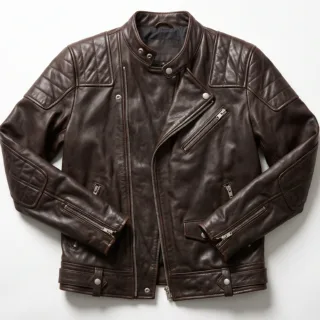
Virtual try-on right on the product page
Stay in touch with shoppers after the first visit








The BRIX apps
Stores lose sales in three places: carts that stay small, shoppers who are not sure, and visitors who never come back. Each BRIX app fixes one of them. Use one, or run all three together.
Bigger orders
Shoppers add one item and check out, when the cart could have held two or three.
See how it worksFewer returns

Shoppers can’t tell how it will look on them, so they leave, or buy and send it back.
See how it worksRepeat buyers

Most visitors leave without buying, and there is no easy way to bring them back.
See how it works01 · Bigger orders
Brix ConvertTurn more visitors into bigger orders
BRIX Convert sets up cart upsells, Frequently Bought Together, bundles, quantity packs, a rewards bar and a coupon slider from one prompt. Tap the suggestions in this cart to watch an order grow.
Add $27 more for free shipping
Frequently bought together
02 · Fewer returns
Brix Try OnVirtual try-on right on the product page
BRIX Try On adds AI virtual try-on to your product pages. A shopper uploads a photo, sees themselves wearing the product, and adds it to cart from the same screen.
03 · Repeat buyers
Brix ConnectStay in touch with shoppers after the first visit
BRIX Connect sends web push notifications that recover abandoned carts and announce sales and new products. Visitors subscribe in one click, with no email or phone number needed.
How BRIX AI works
BRIX AI reads our library of real merchant case studies and turns them into advice for your store.
Tell BRIX AI what you want to fix: returns, small orders, single-item carts, COD drop-offs or shoppers who never come back.
Answers cite real BRIX case studies with the numbers: what the brand changed and what moved.
BRIX AI points you to the BRIX app that does the job: Convert, Try On or Connect. Install it from the Shopify App Store and go live without code.
Case studies
Every BRIX AI answer is grounded in case studies like these.
Cart upsells, Frequently Bought Together, and reward tiers lifted ROAS from 3.8x to 4.7x, with zero added ad budget.
Curated outfit combinations turned single-item orders into full looks, and cross-sell click rate jumped from 9% to 27%.
Combos, Frequently Bought Together and a rewards progress bar doubled monthly revenue in a month, on the same ad budget.
A real-time progress bar for free shipping and gift tiers pushed reward-unlock rate from 19% to 47%.
Tiered quantity offers and post-purchase upsells moved average order value from about ₹880 to ₹1,240 and items per order from 1.3 to 1.8 in roughly six weeks.
Merchants
“Brix helped us turn our cart into a real sales channel. The upsell and rewards bar features made it easier for customers to add more before checkout.”
“Frequently Bought Together and the coupon slider solved two major problems for us. Customers could discover related products and apply discounts without leaving the cart.”
“Brix AI Analysis gave us clarity on what was working. We stopped guessing and started optimizing our cart based on real opportunities.”
“Setup was simple, customization was clean, and the cart experience felt premium. Brix is a strong AOV booster for Shopify brands.”
“The insight cards are like having a CRO consultant on retainer, except it costs $29 a month.”
“Brix helped us turn our cart into a real sales channel. The upsell and rewards bar features made it easier for customers to add more before checkout.”
“Frequently Bought Together and the coupon slider solved two major problems for us. Customers could discover related products and apply discounts without leaving the cart.”
“Brix AI Analysis gave us clarity on what was working. We stopped guessing and started optimizing our cart based on real opportunities.”
“Setup was simple, customization was clean, and the cart experience felt premium. Brix is a strong AOV booster for Shopify brands.”
“The insight cards are like having a CRO consultant on retainer, except it costs $29 a month.”
Why BRIX
Every BRIX app is set up from settings panels with a live preview. No theme edits, no code.
Every BRIX app runs through a Shopify app embed. Turn it on and set everything up from the app’s own admin.
Changes show in a live preview first, so nothing goes live on your store by accident.
Convert builds your offers from one prompt, Try On turns flat-lay photos into on-model images, and BRIX AI tells you what to fix first.
Convert, Try On and Connect each start free. Paid plans are billed through Shopify, and you can cancel anytime.
Convert grows the order, Try On builds confidence, Connect brings shoppers back. Start with one and add the others when you are ready.
Works with modern Shopify themes through app embeds.
From the blog
A skincare brand lifted AOV from about ₹880 to ₹1,240 in six weeks with tiered offers and post-purchase upsells.
Combos, Frequently Bought Together and a rewards progress bar doubled monthly revenue in a month, on the same ad budget.
Traffic is fine, orders are coming in, and shoppers still leave with one product. Here are the ten things quietly capping your average order value…
FAQ
Every BRIX app has a free plan. Install the one you need, or ask BRIX AI where your store loses the most.